Core Concepts
Seiri is push/heartbeat monitoring for cron jobs, workers, and event check-ins.
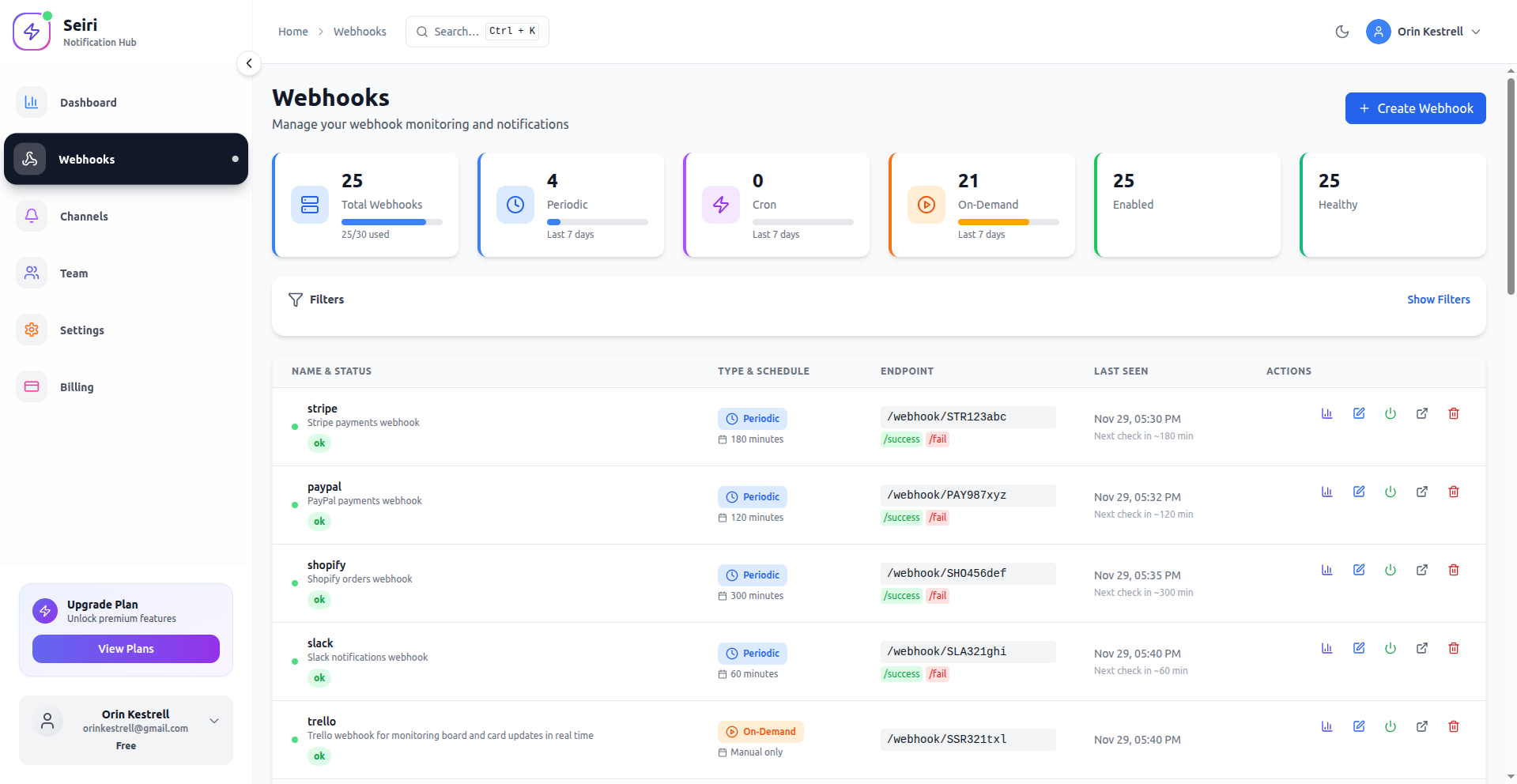
Everything is modeled as a webhook under Core → Webhooks.
Tip: Types are Periodic, Cron, and On-Demand — not “Immediate” or “Scheduled”.
Webhooks
A Seiri webhook is a monitor with a unique endpoint ID (org-slug:webhook-ref) and ping URLs on ping.seiri.app.
Seiri records:
- Check-in timestamps
- Success / fail / miss status
- Optional payload
Jobs and scheduled tasks
Any task that can HTTP GET/POST (or email @ping.seiri.app) can be monitored:
- Cron scripts and systemd timers
- Background workers and queue jobs
- Kubernetes CronJobs
Ping after successful work. Use /fail when the job errors.
Endpoint ID
Displayed in the ENDPOINT column:
acme-demo:deno-xFY-7Yv
Full ingest URL:
https://ping.seiri.app/webhook/acme-demo:deno-xFY-7Yv/success
Copy with the copy button next to the endpoint ID, or from webhook details.
Webhook types
| Type | Meaning |
|---|---|
| Periodic | Expect a ping every N seconds |
| Cron | Expect a ping on a cron expression |
| On-Demand | No schedule — event-driven only |
Alerts and notifications
Configure channels on the webhook: Email, Slack, Discord, Teams, Telegram, Ntfy, Webhook, and more.
Where to check stats
- Dashboard — org overview
- Webhook stats (bar-chart icon on a row) — per-monitor insights
- Services → Cron Jobs — schedule adherence and drift
Key takeaways
- Heartbeats go to
ping.seiri.app, nevercloud.seiri.app - Create monitors under Core → Webhooks
- Endpoint ID =
org-slug:webhook-ref - Types = Periodic / Cron / On-Demand
Full recipe: Integrate a job.