Webhook Endpoints
Webhooks are the core of Seiri. Each webhook centralizes all events it receives and allows analysis in one place.
Creating a Webhook
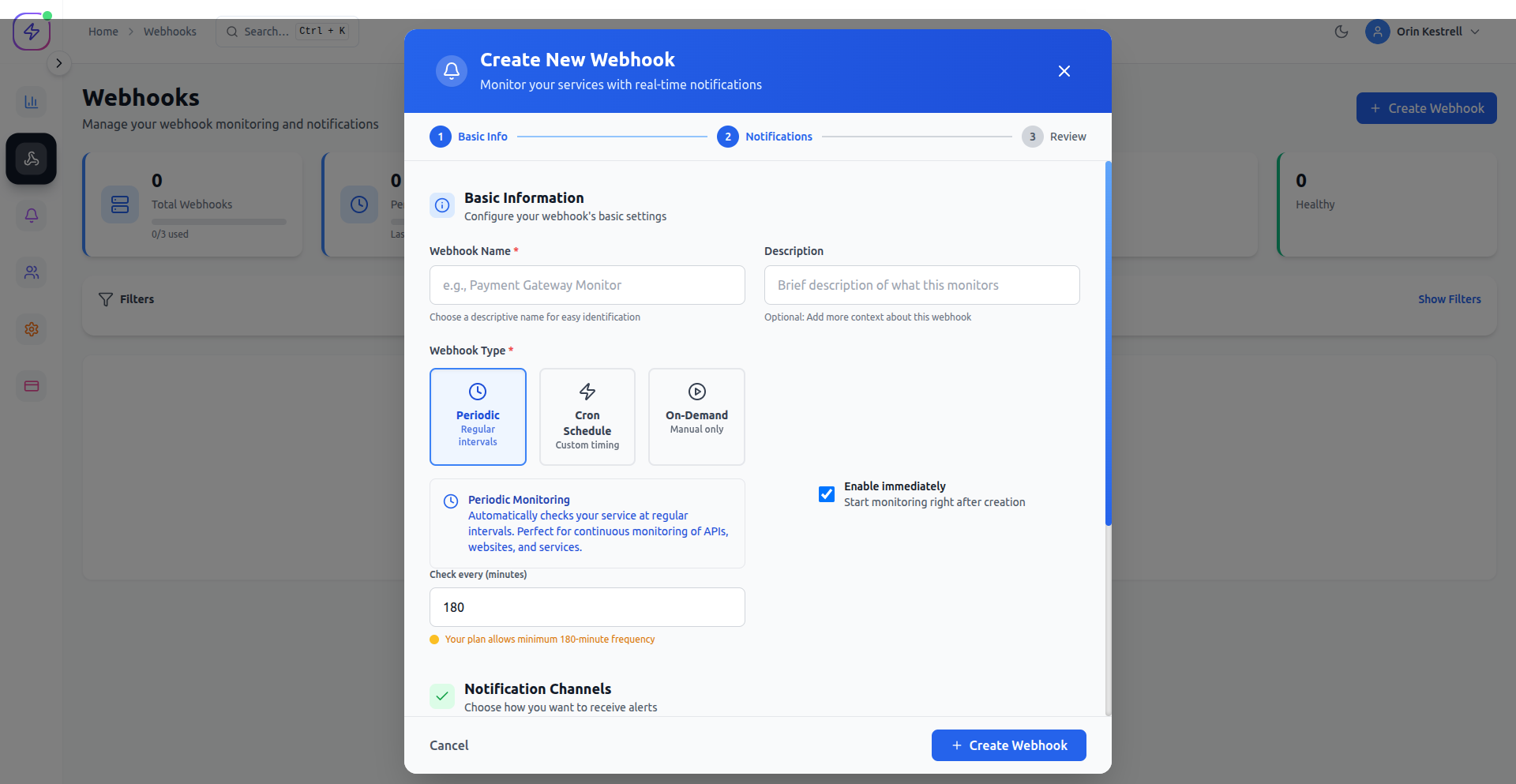
When creating a webhook, you must select a type:
- Immediate – triggers as soon as an event occurs. Ideal for real-time notifications.
- Scheduled – triggers at specific times or dates. Ideal for reports or batch processes.
- Periodic – triggers repeatedly at a fixed interval. Ideal for heartbeats or health checks.
Configuration Steps
- Click Add Webhook in the dashboard.
- Enter:
- Name
- URL
- Webhook type (Immediate, Scheduled, Periodic)
- Integration channel(s): Slack, Email, Discord, Teams, Mattermost, RocketChat, Ntfy, Webhook
- Optional:
- Filters
- Retry settings
- Save the webhook.
Webhook List
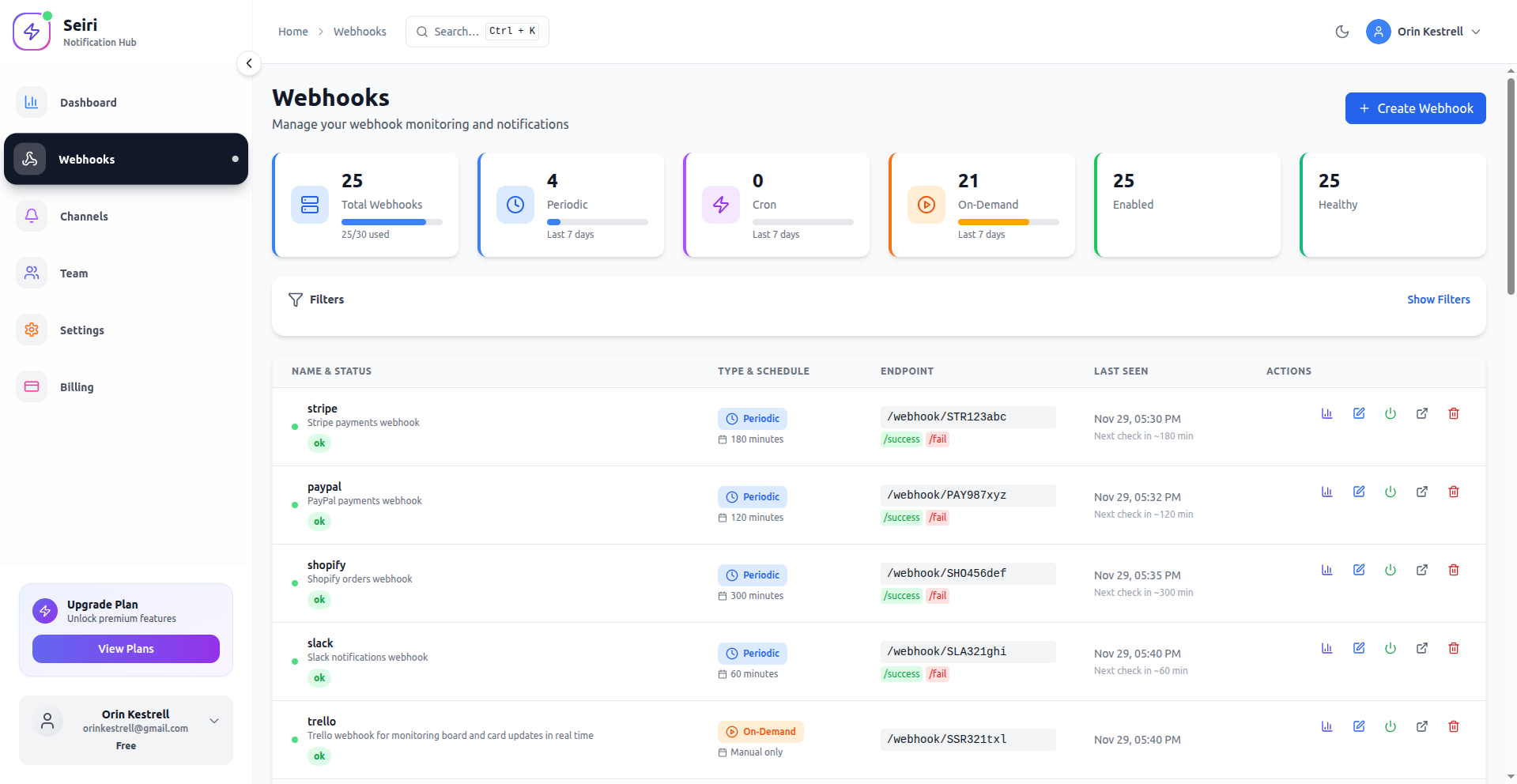
- Shows all webhooks with:
- Name
- URL
- Type
- Status
- Integration channels
- Click a webhook to open its Insights page.
Tip: Choose descriptive names and correct webhook type to simplify monitoring and alerting.