Webhook Endpoints
Each webhook has a unique endpoint ID and ping URLs on the ingest host.
Creating a webhook
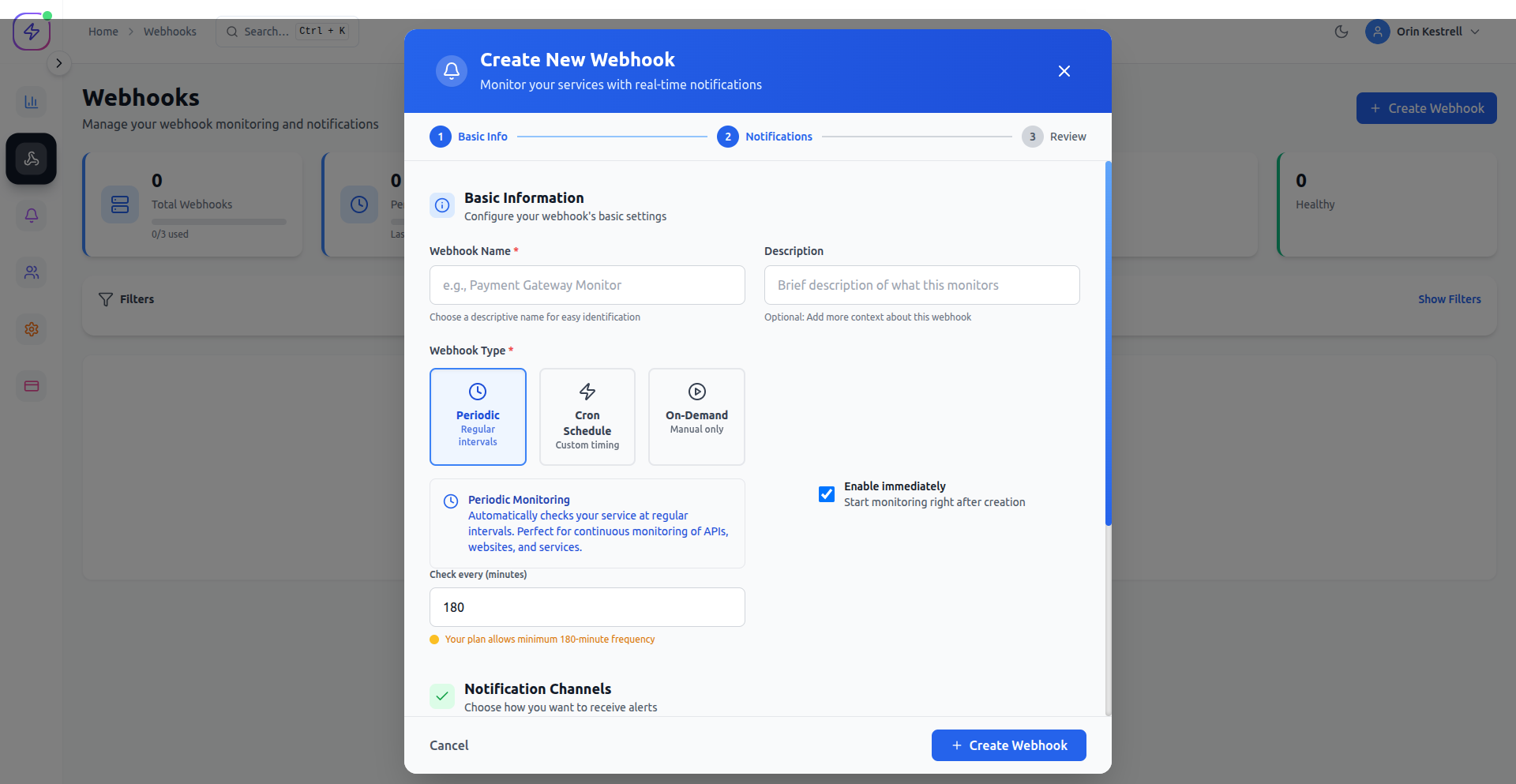
When creating a webhook under Core → Webhooks, select a type:
- Periodic – expect a ping every fixed interval. Ideal for heartbeats.
- Cron – expect a ping on a cron schedule. Ideal for nightly jobs.
- On-Demand – no schedule; ping when an event happens.
Configuration steps
- Click + Create Webhook in the dashboard.
- Enter:
- Name
- Webhook type (Periodic, Cron, or On-Demand)
- Interval or cron expression (if applicable)
- Notification channel(s)
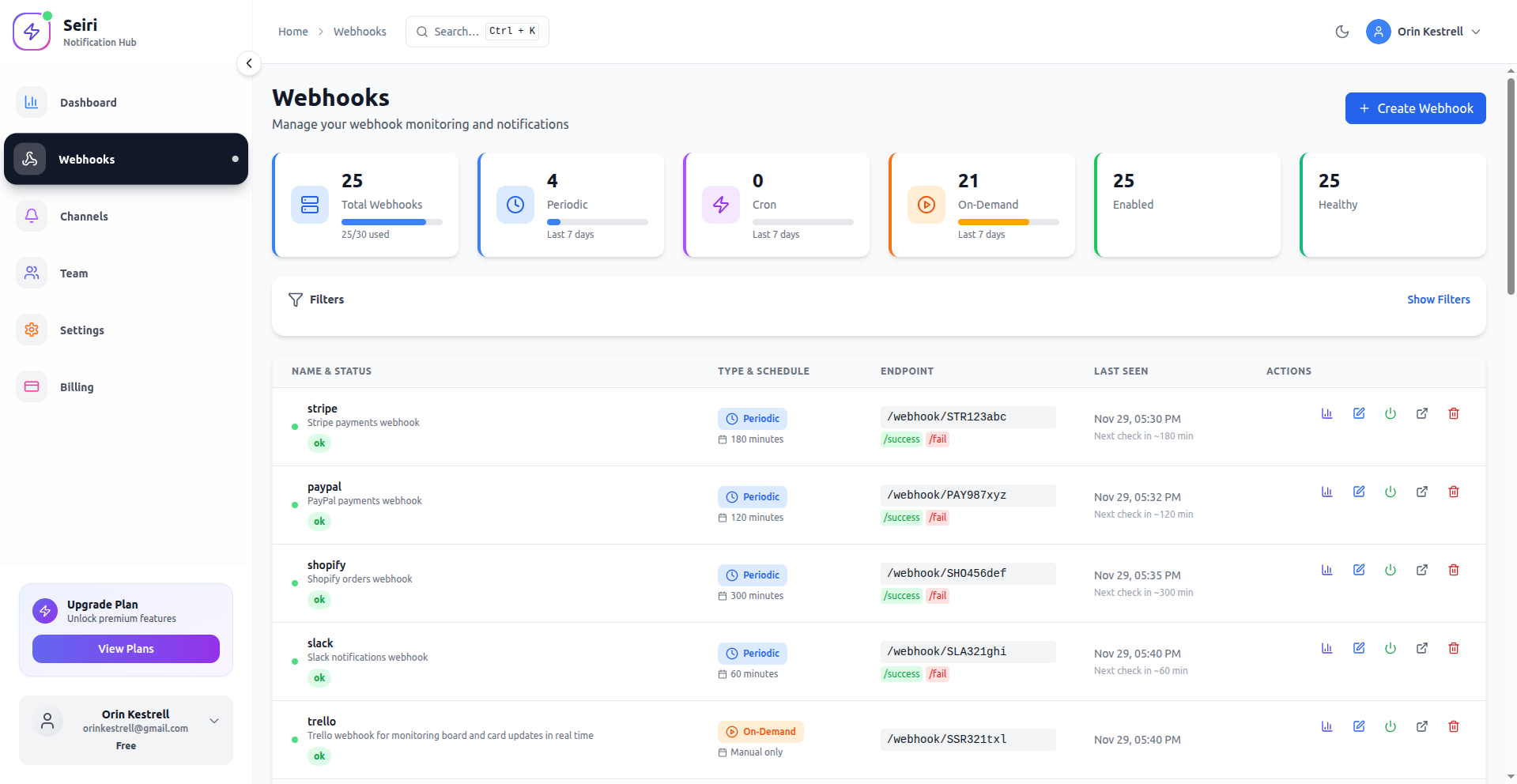
- Save, then copy the endpoint URL from the ENDPOINT column.
Ping URL format
https://ping.seiri.app/webhook/<endpoint-id>
https://ping.seiri.app/webhook/<endpoint-id>/success
https://ping.seiri.app/webhook/<endpoint-id>/fail
<endpoint-id> is org-slug:webhook-ref (shown in the ENDPOINT column).
Dashboard / sign-in stays on https://cloud.seiri.app. Heartbeats always use ping.seiri.app.
Webhook list
Shows all webhooks with:
- Name and status
- Type (Periodic / Cron / On-Demand)
- Endpoint ID (copy button)
- Last seen / next expected
Tip: Use descriptive names and the correct type so missed-run alerts match reality.